
Sådan anmoder du om sletning i Officeguru-appen
See English and German version below.
🇩🇰
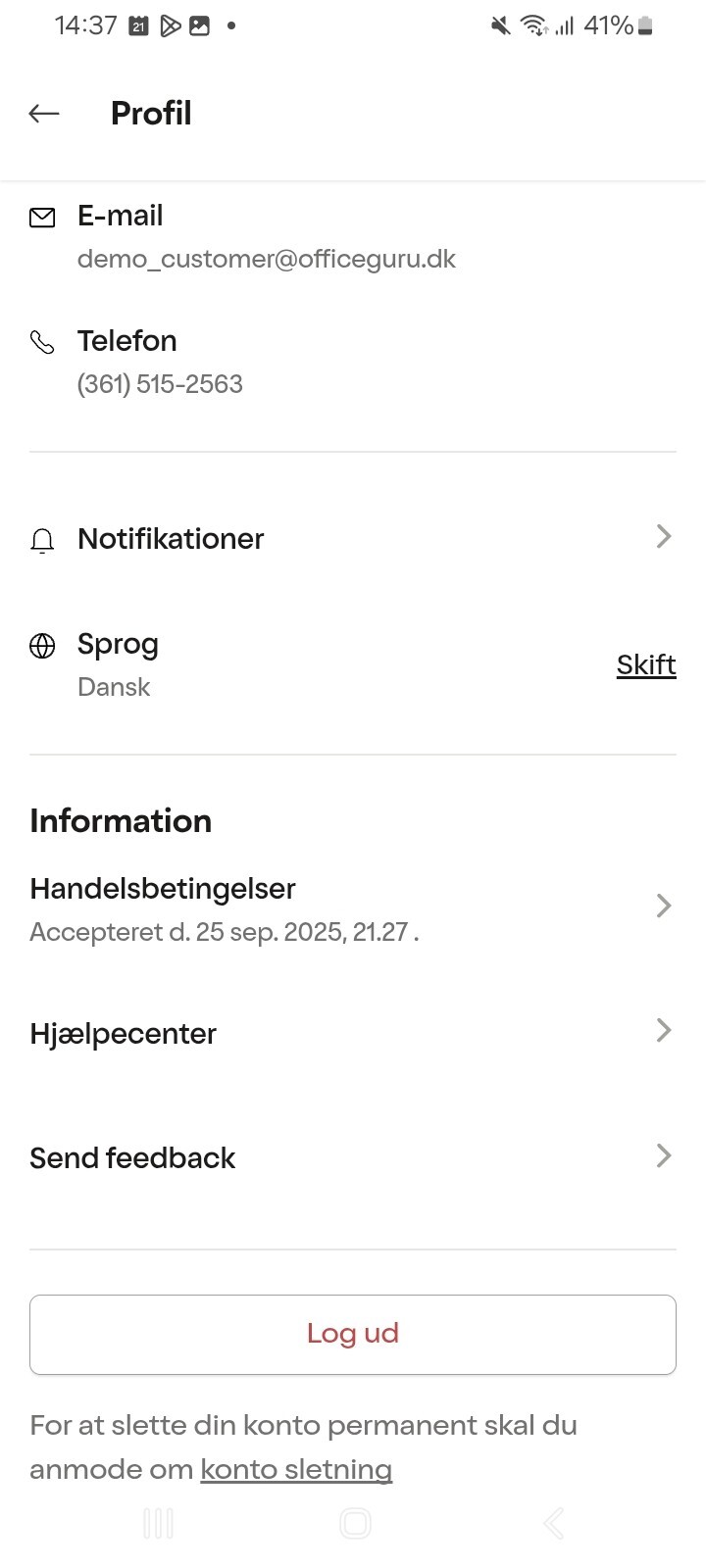
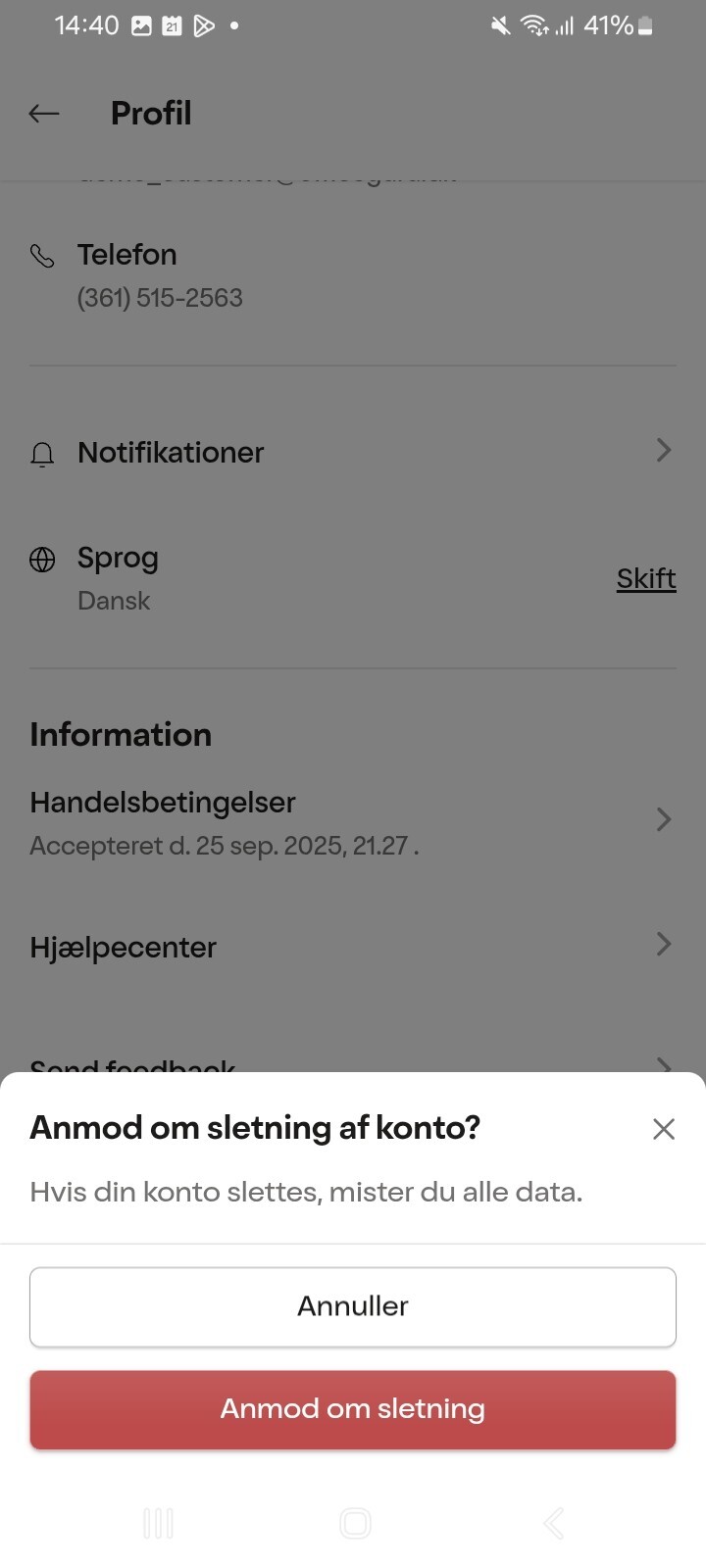
Når du benytter vores Officeguru-app, som du kan downloade via enten Google Playstore eller Appstore, har du mulighed for direkte fra appen at anmode om sletning af din konto.
Når du er logget ind kan du under "Profil" anmode om "konto sletning". Anmodningen håndteres hurtigst muligt og du vil modtage en status fra vores Customer Succes team med en status på din anmodning.
I vores privatlivspolitik har vi angivet typen af persondata, vi indsamler og opbevarer samt perioden for opbevaring: https://officeguru.com/dnk/da/cookie-og-privatlivspolitik
🇬🇧
How to request account deletion
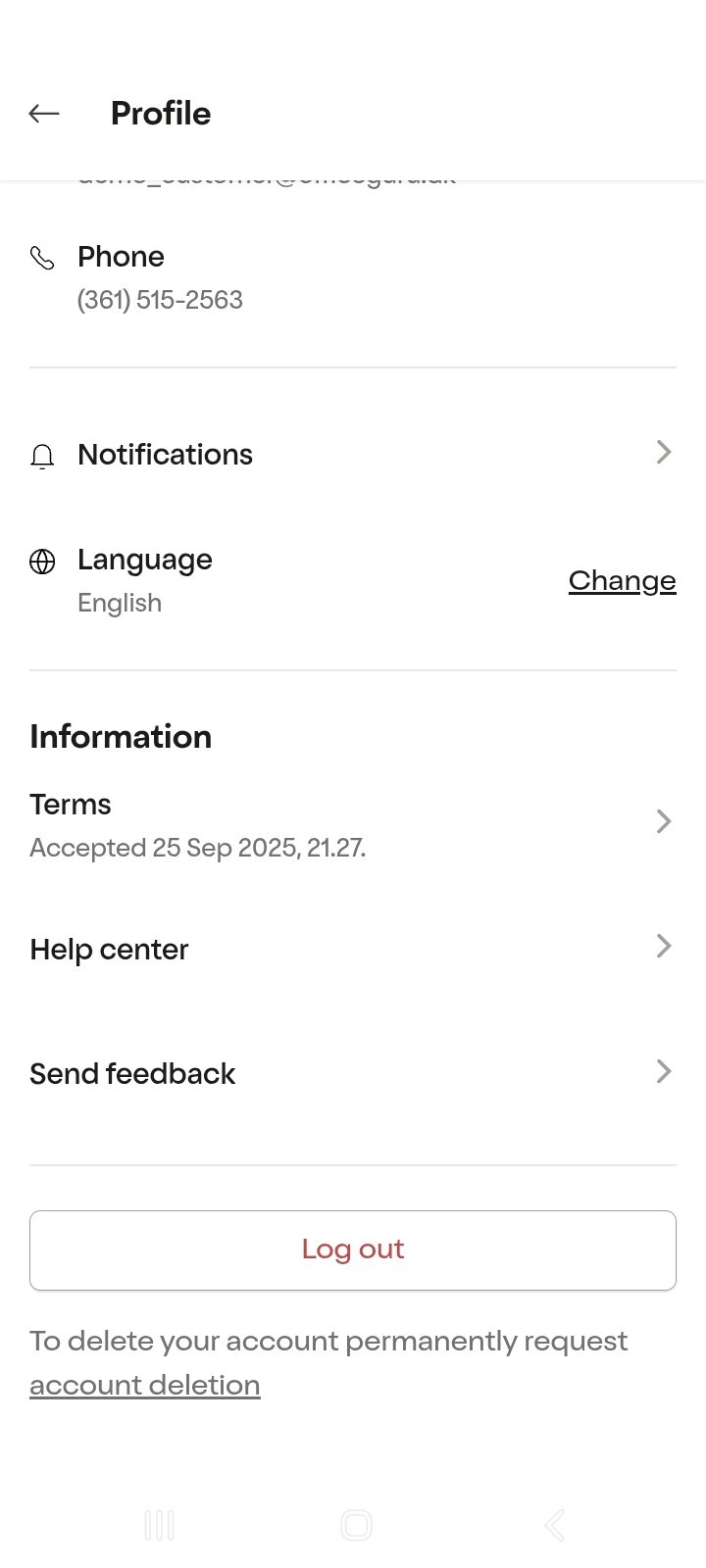
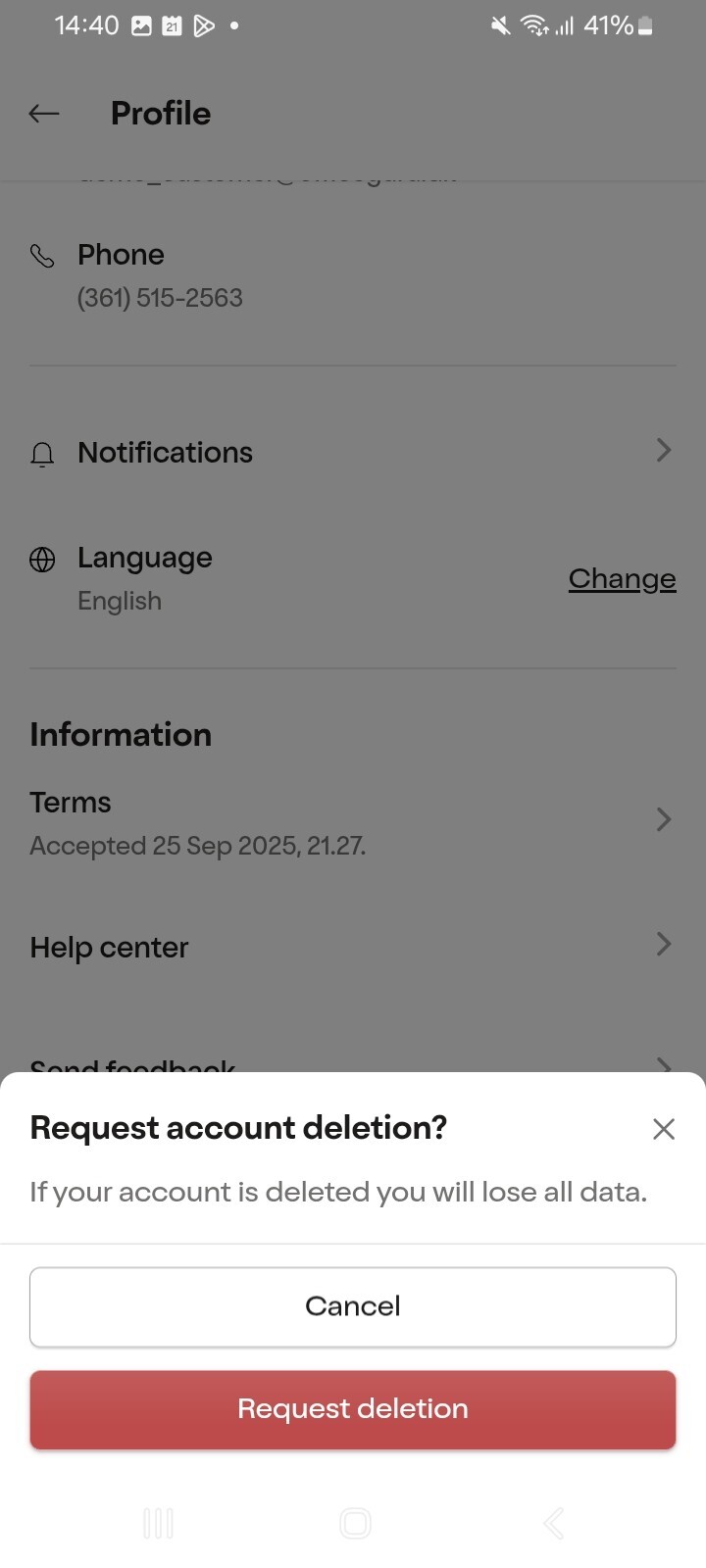
When using our Officeguru app, which you can download from either Google Play or the App Store, you have the option to request deletion of your account directly from the app.
Once logged in, go to “Profile” and select “Delete account”. Your request will be processed as soon as possible, and our Customer Success team will update you on the status of your request.
In our Privacy Policy, you can find information about the types of personal data we collect and store, as well as how long we retain it: https://officeguru.com/dnk/en/cookie-and-privacy-policy
🇩🇪
So beantragen Sie die Löschung Ihres Kontos
Wenn Sie unsere Officeguru-App verwenden, die Sie im Google Play Store oder im App Store herunterladen können, haben Sie die Möglichkeit, die Löschung Ihres Kontos direkt in der App zu beantragen.
Sobald Sie eingeloggt sind, gehen Sie zu „Profil“ und wählen Sie „Konto löschen“. Ihre Anfrage wird so schnell wie möglich bearbeitet, und unser Customer Success Team informiert Sie über den Status Ihres Antrags.
In unserer Datenschutzerklärung finden Sie Informationen darüber, welche Arten von personenbezogenen Daten wir erfassen und speichern sowie wie lange wir diese aufbewahren: https://officeguru.com/deu/de/cookie-und-datenschutzbestimmungen